Dispatch any driver, from your own fleet to last-mile carriers
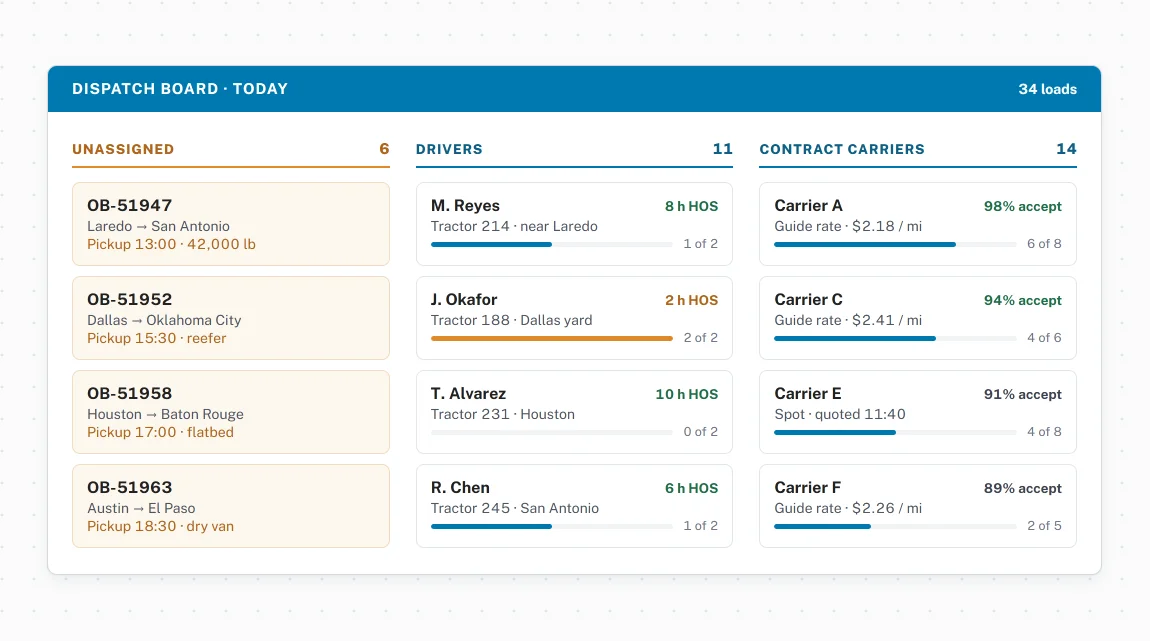
Stop managing driver assignments through phone calls and manual check-ins. Agistix gives dispatchers one place to assign, route, and track every shipment.
Where dispatchers and drivers stay connected
Flexible driver and carrier assignment
Any shipment assigned to any driver, carrier, or subcarrier from one dispatcher view.
- Dispatchers assign shipments directly to a driver or route through a subcarrier from a single view
- The same workflow handles internal staff, mailroom personnel, and contracted carriers in the field
- Every assignment tracked from the moment it leaves the dispatcher's queue
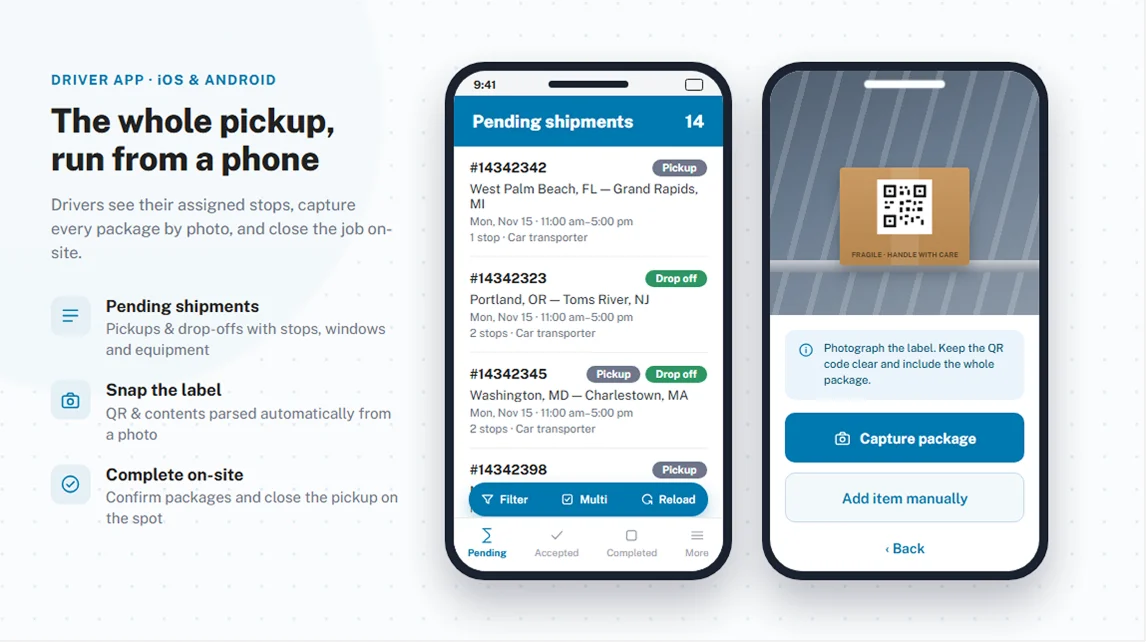
Browser-based driver app
Drivers access assigned loads from any phone or tablet, with no app store download required.
- Browser-based and works on any iOS or Android device with no app installation
- Drivers log in, see assigned shipments, and accept or decline each load
- Accepted shipments build into an ordered queue with optimized route planning or saved route templates
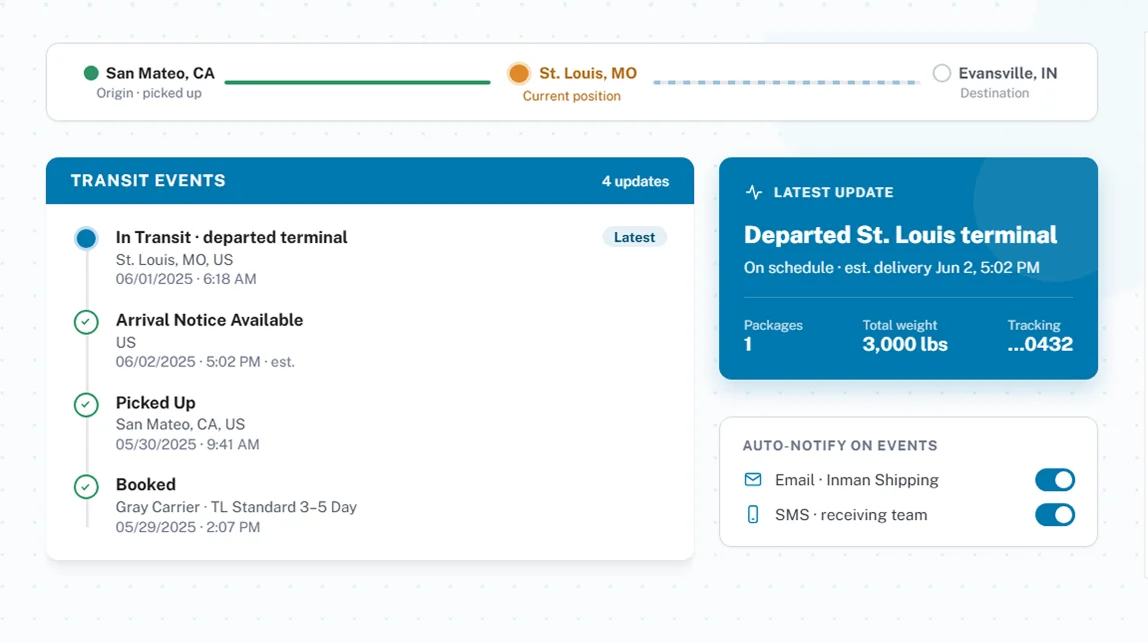
In-transit event capture
Every transit event documented from first mile through final signature.
- Device location attached to every transit event automatically with driver approval
- POD captured as an on-screen signature, a photo, or both
- Receipts, weight tags, supporting documents, rest breaks, and turn-by-turn directions all accessible without leaving the app
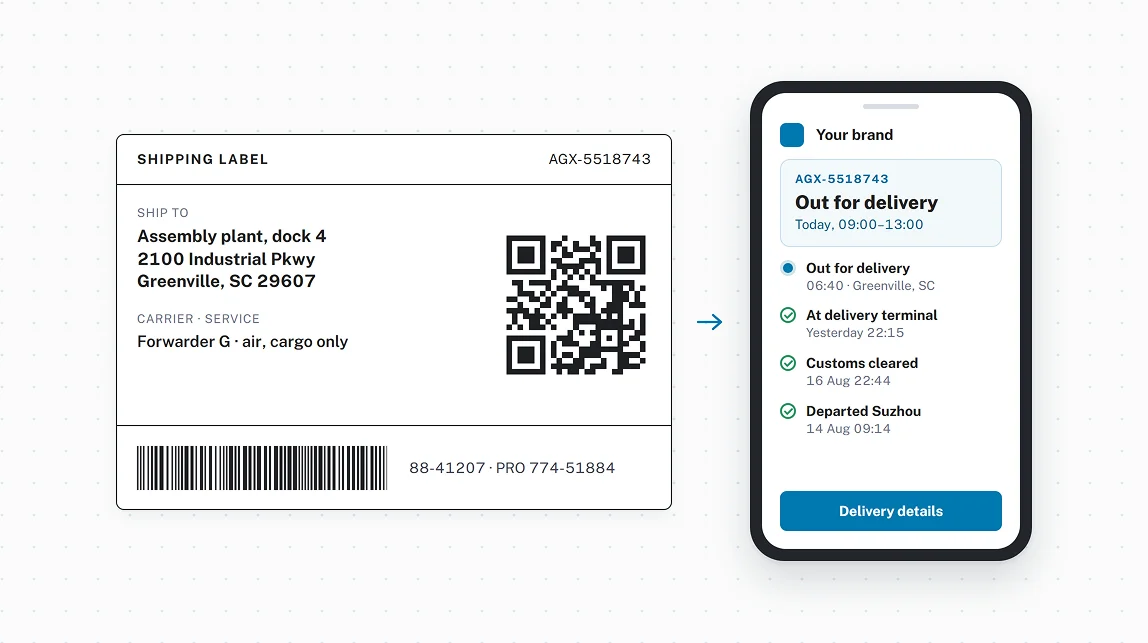
QR label scanning and batch processing
Scan Agistix labels to update shipment status instantly, one item or many at a time.
- QR label scanning logs transit events without manual data entry
- Batch scanning updates multiple items at once for pickups or deliveries with high item counts
- Every scan timestamped, location-tagged, and tied to the shipment record automatically
What our customers are saying

Agistix's responsiveness, flexibility, and support were crucial in helping us manage drivers and dispatch through a complex project. Thank you.
More to explore across the platform
The world is taking notice



See Agistix in action
Get a closer look at how Agistix connects dispatchers, drivers, and shipments.
FAQs
Do drivers need to download an app for Agistix?
No. The Agistix driver app is browser-based and works on any smartphone or tablet, iOS or Android, without an app store download. Drivers log in through a browser and access their assigned shipments immediately.
Can dispatchers assign to internal drivers as well as outside carriers?
Yes. Agistix supports dispatching to internal drivers including warehouse staff, mailroom personnel, and fleet drivers, as well as external carriers and subcarriers. The same workflow handles both.
How does proof of delivery work in the driver app?
Drivers capture POD as an on-screen recipient signature, a photo of a signed document, or both. Receipts, weight tags, and other supporting documents can also be attached from the same screen. All records are stored in Agistix and immediately available for review.
Can drivers manage multiple shipments in sequence?
Yes. Drivers see a queue of all assigned shipments and can request an optimized route plan based on accepted loads or choose from a saved route template. Shipments are worked through in sequence until the queue is clear.