Instant transit updates and POD capture, no login required
Give drivers, suppliers, and dock supervisors a mobile workflow to capture updates and exceptions directly on the shipment record.
Mobile update solutions for drivers, suppliers, and customers
Real-time update capture
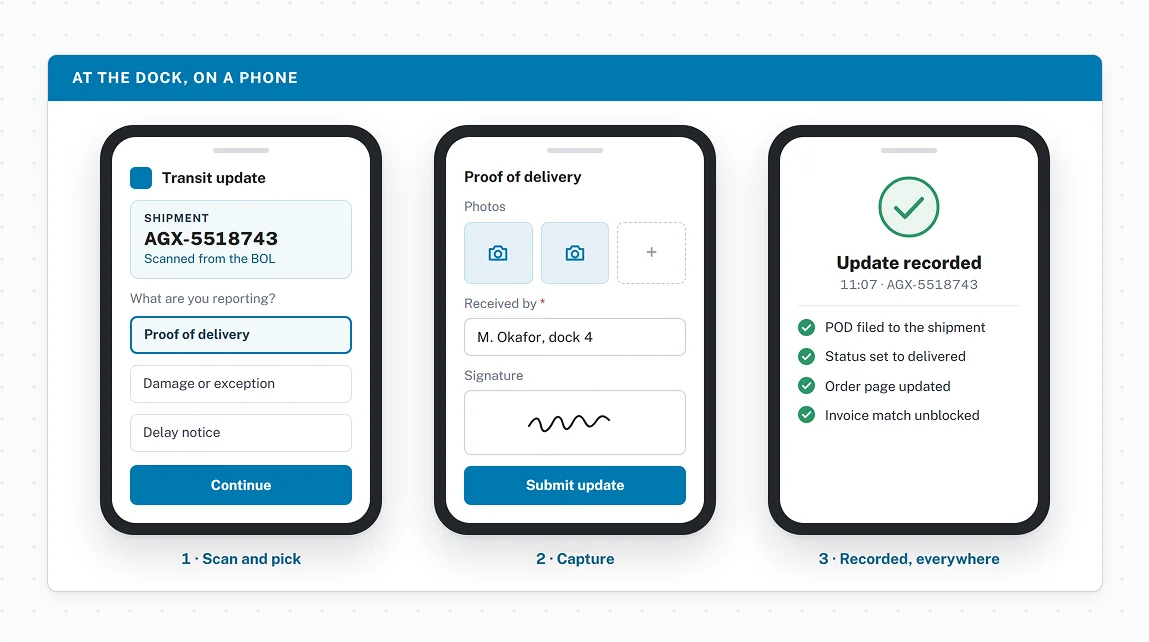
Submit proof of delivery, photos, and exception reports directly from a mobile browser.
- Captures POD, signatures, photos, and exception reports from any mobile browser
- Updates write to the shipment record instantly with a timestamp and user
- No app download or Agistix account required to submit
Access without a TMS login
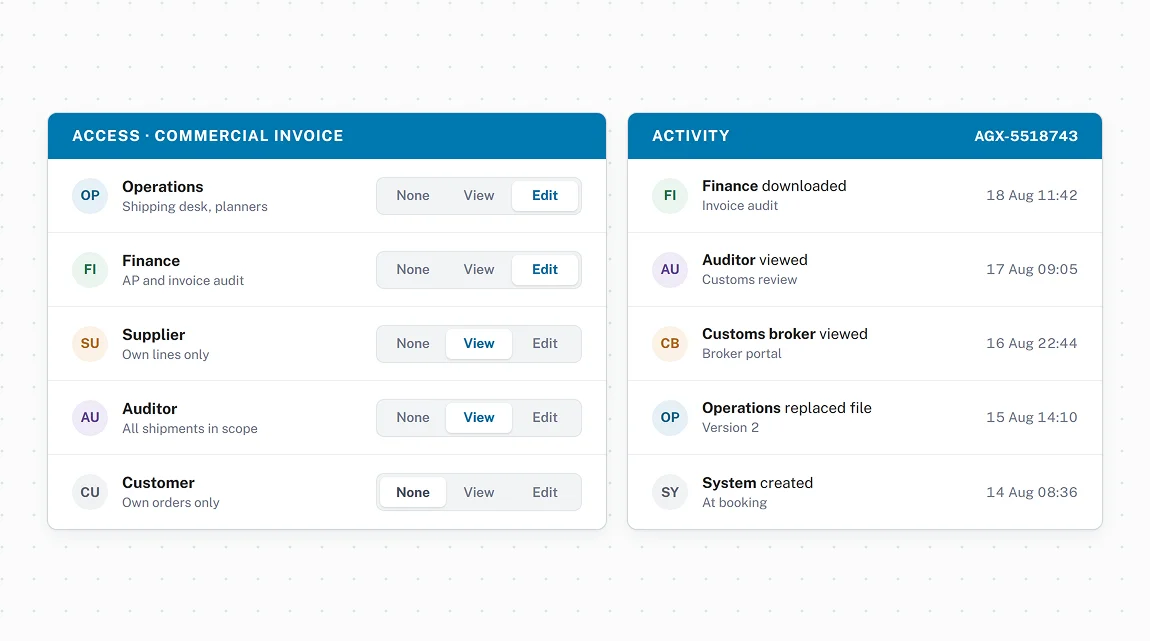
Every workflow is permission-based and scoped to the stakeholder's role.
- Browser-based mobile access without an Agistix login or app install
- Permission rules determine which workflow each stakeholder can access and amend
- Configurable per role, per shipment, or per account
QR codes open the workflow from any label or document
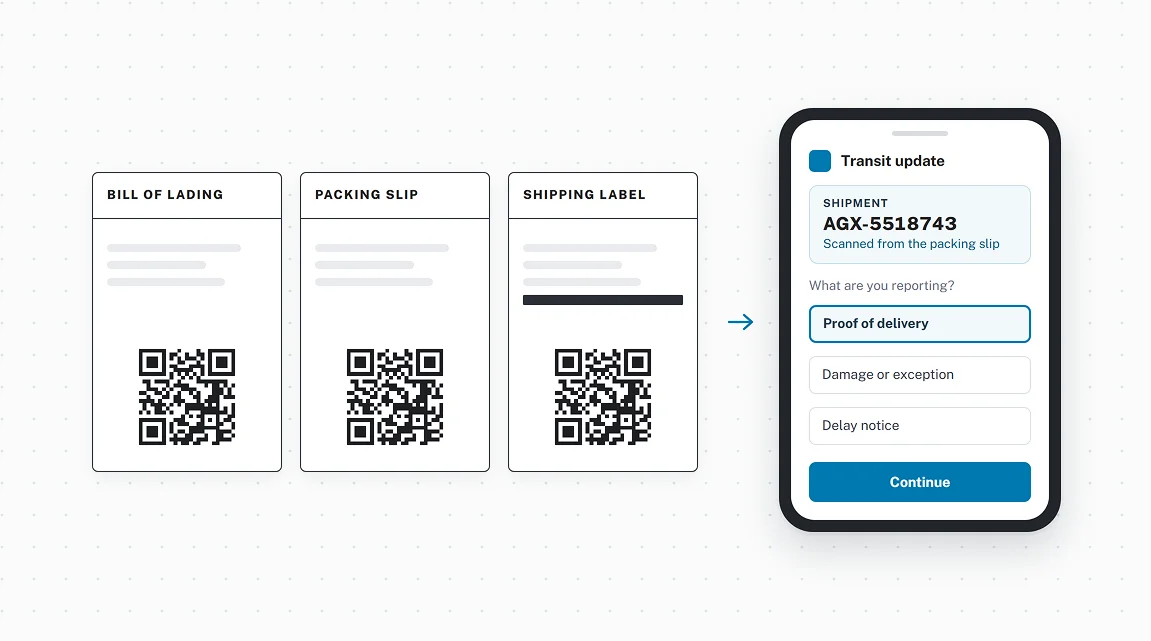
Scan a BOL, packing slip, or shipping label to reach the update workflow instantly.
- Dynamic QR codes on labels and documents link directly to the transit update page
- Eliminates manual shipment lookup before submitting an update
- Works from any mobile device camera or scanning device
What our customers are saying

What's been great about Agistix is having our team, carriers, and customs brokers all in the same platform. Everyone has access to the same documents and can see exactly where our shipments are.
More to explore across the platform
The world is taking notice



See Agistix in action
See how transit updates and POD capture work without an app, a login, or a phone call.
FAQs
Do drivers and suppliers need an Agistix login to submit transit updates?
No. Transit Update Microsites are browser-based and operate without an Agistix login or app install. Access is permission-based and scoped to the stakeholder's role, so drivers, suppliers, and customers can submit updates without a TMS account.
What types of updates can be captured through a Transit Update Microsite?
Transit Update Microsites support milestone event entry, proof of delivery, signature capture, photo capture, and exception reporting. Every submission writes to the shipment record with a timestamp and user.
Can QR codes on labels trigger the transit update workflow?
Yes. Dynamic QR codes on labels, BOLs, and shipping documents link directly to the transit update workflow. Scanning a label opens the update page immediately, with no manual shipment lookup required.
Can different stakeholders access different update workflows on the same Microsite?
Yes. Permission rules determine which workflow each stakeholder can access and amend, so drivers, suppliers, and customers each see the workflow configured for their role without accessing each other's data.